 Cinch
A budget tracker that never asks for your bank login.
Cinch tracks your spending the way you'd write it down, only faster. No bank connection, no account to sign up for, no ads. Your data stays on your phone.
Coming to Google Play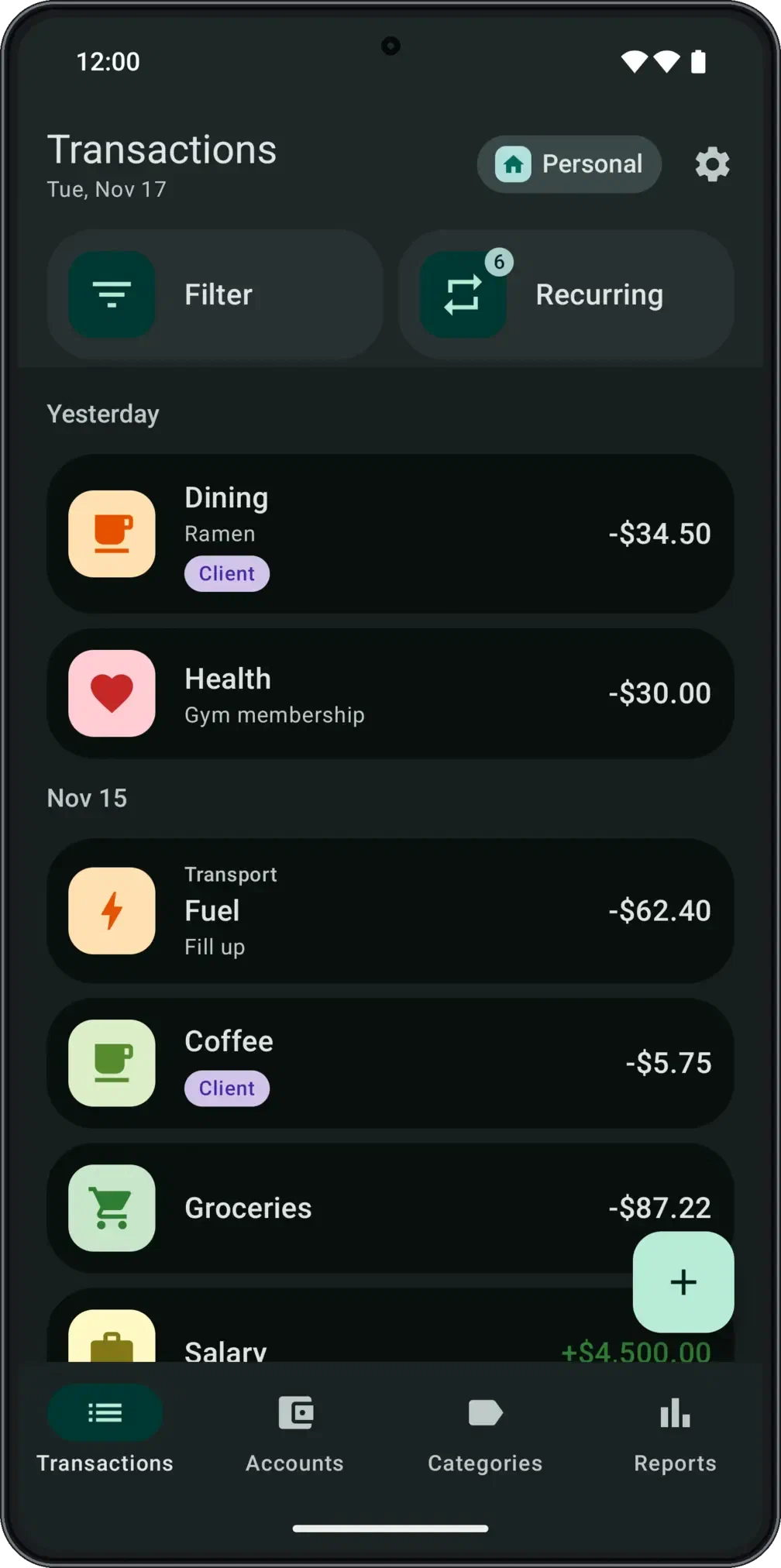
What's in it
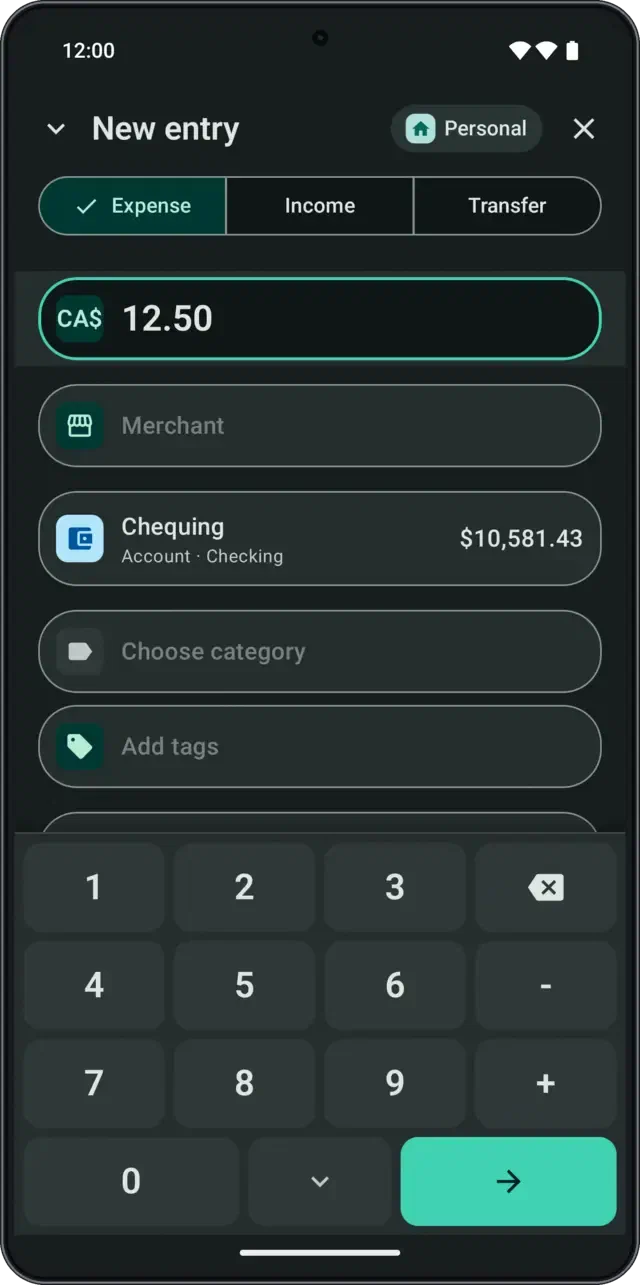
- A keypad built for money, with + and − for two items on one receipt.
- Recent merchants fill in the category you used last time.
- A home-screen widget that opens a new entry in one tap.
- Accounts, transfers, split purchases, categories and tags.
- Recurring entries, and reminders for bills you pay by hand.
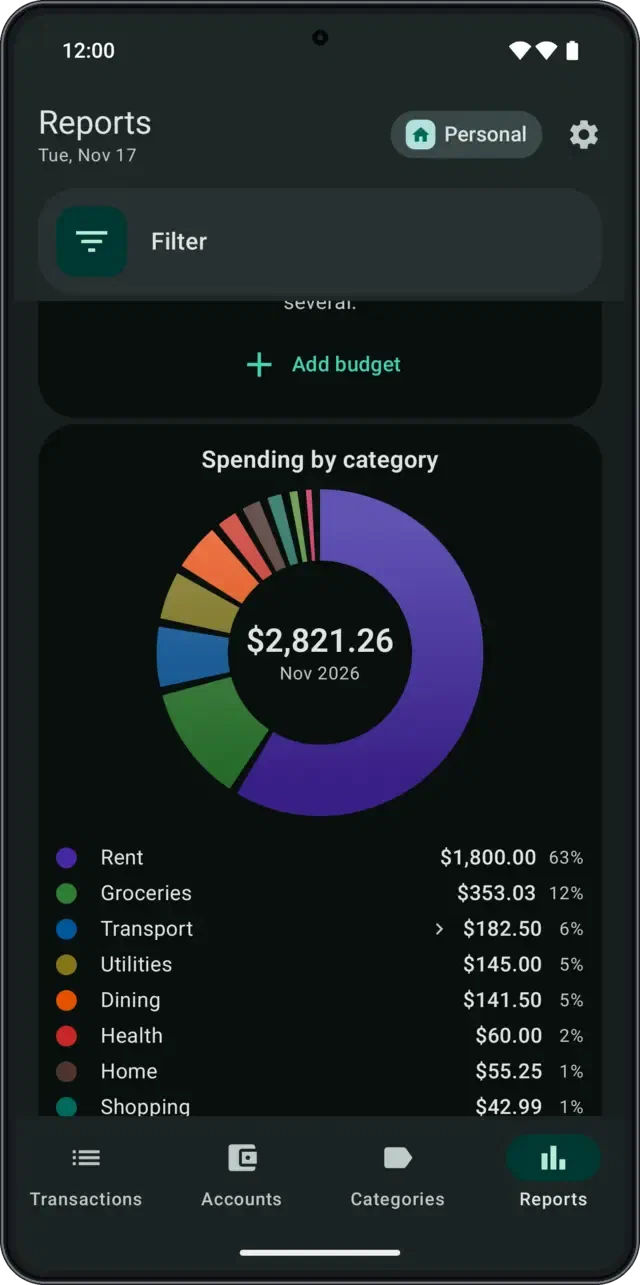
- Spending by category, six-month trends, and budgets.
- Several currencies, each account in its own.
- Backup, restore, CSV import and export, all free.
Details
What Cinch won't do
- Connect to your bank. Nothing in Cinch asks for a bank login or reads your accounts. You enter what you spend.
- Ask for an account. There isn’t one. Open the app and start.
- Show ads or track you. No ads, no analytics, no tracking. Cinch Pro, an optional purchase for more workspaces, is how the app is paid for.
- Lock your data away. Backup, restore, import and export are free, always.